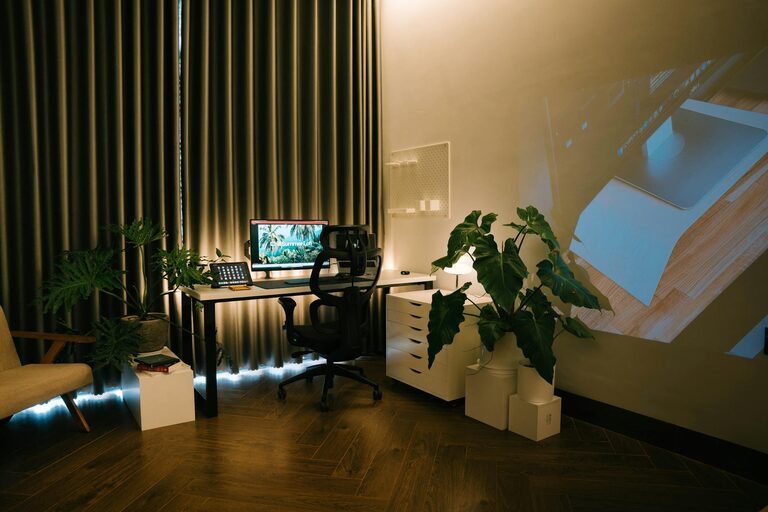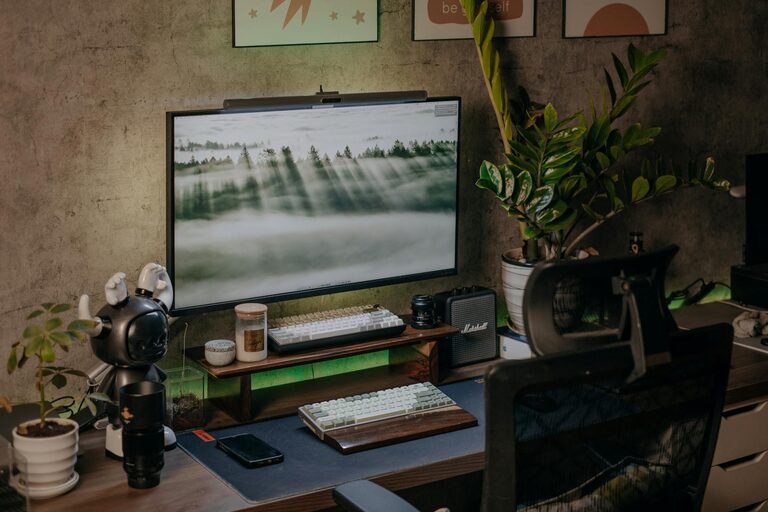

Creating a productive home office space is essential for anyone working from home. A well-designed workspace can improve focus, reduce distractions, and enhance overall work satisfaction. Whether you have a dedicated room or just a corner of your living area, thoughtful planning can transform it into an efficient and comfortable office.
In this post, we’ll explore practical tips to help you set up a home office that supports productivity and well-being.
Choose the Right Location
Selecting the right spot for your home office is the first step toward creating a productive environment.
– Quiet and Private: Find a place away from noise and heavy foot traffic to minimize interruptions.
– Natural Light: If possible, choose a location near a window. Natural light can boost mood and alertness.
– Space for Essentials: Ensure there is enough room for your desk, chair, and any equipment you need.
If space is limited, consider creative options like a nook or an unused corner. Even a small, dedicated workspace can make a big difference.
Invest in Comfortable and Functional Furniture
Your furniture plays a crucial role in both comfort and productivity.
– Ergonomic Chair: Choose a chair with good lumbar support to maintain healthy posture during long work hours.
– Appropriate Desk: Select a desk that fits your space and allows you to work comfortably. Standing desks or adjustable desks can offer additional benefits.
– Storage Solutions: Incorporate shelves, drawers, or filing cabinets to keep your space organized and clutter-free.
Comfortable furniture helps prevent fatigue and discomfort, allowing you to focus better.
Optimize Lighting
Lighting affects both your productivity and eye health.
– Use Natural Light: Maximize daylight when possible but avoid glare on your computer screen.
– Supplemental Lighting: Add task lighting like a desk lamp with adjustable brightness to reduce eye strain.
– Avoid Harsh Overhead Lights: Soft, warm light tends to be more comfortable than fluorescent bulbs.
Good lighting helps maintain energy and reduces headaches or eye fatigue.
Minimize Distractions
A workspace free from distractions helps you stay focused.
– Declutter Regularly: Keep your desk tidy and remove unnecessary items.
– Manage Noise: Use noise-cancelling headphones or white noise machines if ambient sounds are disruptive.
– Limit Digital Interruptions: Set boundaries for social media and non-work notifications during work hours.
Creating a distraction-free zone supports better concentration and productivity.
Personalize Your Workspace
Adding personal touches can make your home office more inviting and motivating.
– Incorporate Plants: Indoor plants improve air quality and add a calming element.
– Decorate Tastefully: Use artwork, photos, or colors that inspire you but avoid overcrowding.
– Use Motivational Items: Remind yourself of goals or positive affirmations to stay motivated.
Personalizing your space helps you feel comfortable and connected to your work environment.
Establish an Efficient Workflow
Your home office should support your daily tasks smoothly.
– Organize Your Tools: Keep frequently used items within reach to reduce time searching for them.
– Use Cable Management: Tidy cables with clips or sleeves to keep the area neat.
– Create Zones: If space allows, designate areas for computer work, paperwork, and breaks.
An organized workspace saves time and reduces stress during your workday.
Prioritize Ergonomics and Health
Taking care of your body is important when working long hours at home.
– Set Proper Screen Height: Your monitor should be at eye level to avoid neck strain.
– Take Breaks: Follow the 20-20-20 rule: every 20 minutes, look at something 20 feet away for 20 seconds.
– Move Regularly: Incorporate stretching or short walks to stay active.
Ergonomic practices protect your health and maintain productivity over time.
Utilize Technology Wisely
Effective use of technology can enhance your home office efficiency.
– Reliable Internet Connection: Ensure your internet is fast and stable for video calls and online tasks.
– Use Productivity Apps: Tools for task management, note-taking, and communication can keep you organized.
– Backup Your Work: Regularly save files to cloud storage or external drives.
Technology that supports your workflow can reduce frustration and increase output.
Set Clear Boundaries
Working from home means balancing work and personal life.
– Define Work Hours: Set a schedule and stick to it to maintain work-life balance.
– Communicate Boundaries: Inform family or housemates about your work hours and needs.
– Create a “Start” and “End” Ritual: Small routines can signal the beginning and end of your workday.
Clear boundaries help maintain focus during work and relaxation after work.
—
Creating a productive home office is a process that involves personalizing your space and developing habits that support your work style. By carefully considering your location, furniture, lighting, and organization, you can build a workspace that motivates and energizes you daily.
Remember, the goal is to create an environment where you feel comfortable, efficient, and ready to tackle your work with confidence.